Introduction
If you use a mail client like Eudora, and your current email provider does not allow mail relaying (sending of mail while logged onto another network), they will prevent you from sending email directly via their SMTP Server. Your local ISP has done this to prevent spammers from relaying mail through their network. Some ISPs will in fact, only allow you to send when physically connected to their network, these include Cable Modem Providers and DSL Providers. If you use an email address with them you will most likely have issues.
When to Use our SMTP
If your current provider does not allow you to relay mail and you do not wish to use their web based interface you can use our SMTP server. If your current provider does allow you to send mail via their SMTP server then there is really no reason to use our SMTP server and you will have better performance with your existing provider.
Corporate customers in particular should check with their IT department as to which SMTP option to use. Using our SMTP Server when your existing company SMTP server could result in mail delayed or even blocked as it may be handled in a different manner.
Configuring Eudora
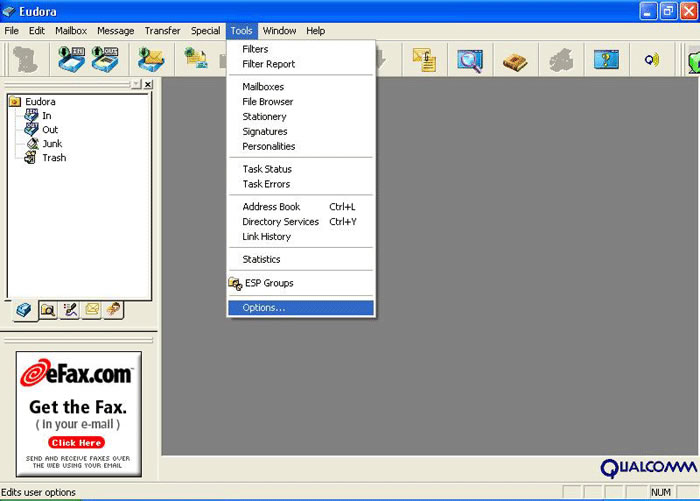
Go to the Tools menu and choose options.
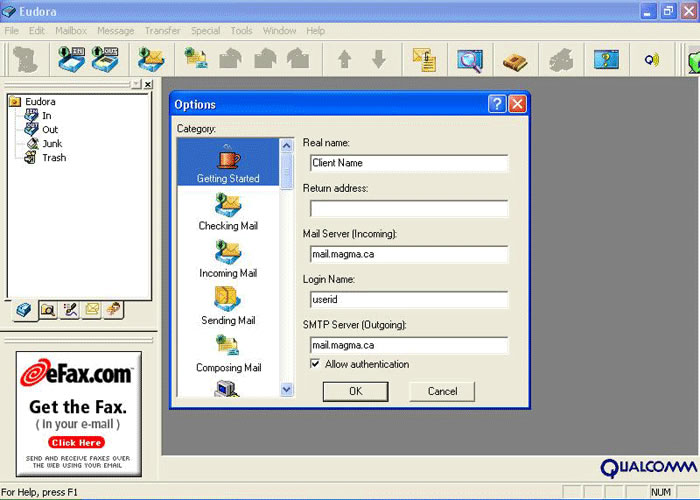
Make sure the SMTP server is named relay.tempestcom.com